Blocking
How to Block Porn on iPhone in Every Browser (Safari, Chrome & Firefox)
Three ways to block adult sites on an iPhone, ranked by how hard they are to undo at 1 a.m. Honest about what Screen Time covers, where it leaks, and what to add if you're doing this for yourself rather than for a kid.
If you've searched for how to block porn on iPhone, you've probably found a guide that ends after "turn on Limit Adult Websites." That's step one, and it's a good step. It's also the reason most blocks last about a week: the person who set it up can switch it off in ten seconds, and at 1 a.m. that person is you.
This guide covers all three ways to block porn sites on iPhone (Screen Time, DNS filtering and a dedicated adult content blocker app), what each one actually covers in Safari, Chrome and Firefox, and the part the other guides skip: how to make the block hard enough to undo that it survives a weak moment. It's written for someone doing this for themselves, not a parent locking down a kid's phone, though the steps work for both.
The short version
- Free and built in: Screen Time's Limit Adult Websites filters Safari and Chrome, Firefox and other browsers on your iPhone.
- The leak: you can turn it off in seconds. Have someone else set the passcode, and don't tie recovery to your own Apple Account.
- Close the other doors: block new app installs (no fresh browser or VPN) and app deletions.
- Add a blocker app if you want app shielding and something to do when an urge hits.
Why most iPhone porn blocks stop working within a week
A block fails in one of four ways, and only one of them is "the filter missed a site":
- You turn it off. The settings are on your phone, you know the passcode, and an urge is very good at generating reasons. This is the big one.
- You go around it. A different browser, a private tab, a VPN, a new app from the App Store.
- It never covered the thing you actually use. Social feeds, DMs and "just checking" accounts aren't websites, so a web filter doesn't see them.
- The list has gaps. No filter catches everything. This is the only failure mode most guides talk about, and it's the easiest to fix.
Keep those four in mind, because each method below is ranked by how well it handles them, not just by whether it technically blocks a site.
Method 1: how to block porn on iPhone with Screen Time (free)
Screen Time is Apple's built-in parental control system, and it works just as well as a self-control system. Apple moves these menus around between iOS versions (iOS 27 is current as of October 2026), so rather than memorizing a path, use search.
- Open Settings and search "adult websites." Tap the result. It takes you to the Web Content screen inside Screen Time's Content & Privacy Restrictions. If Content & Privacy Restrictions is off, turn it on first.
- Choose Limit Adult Websites. This turns on Apple's automatic filter for known adult sites. The stricter option, Allowed Websites Only, blocks everything except a list you approve. Most adults won't want that, but it exists.
- Add anything the filter misses under Never Allow. Tap Add Website and type the address. This is also how to block websites on iPhone one at a time, porn or not. Do this for the two or three sites you know you'd go to. You don't need to be exhaustive; you need to cover your own habits.
- Set a Screen Time passcode. Back on the main Screen Time screen, choose the option to set or change the passcode. Without one, anyone (including you) can undo everything in two taps. The next section covers how to set it so you can't.
- Close Safari fully and reopen it. If Safari was open when you changed the setting, the Private tab option can hang around until you close the app from the app switcher.
Two side effects worth knowing. First, Limit Adult Websites removes Private Browsing from Safari: the Private button in the tab switcher disappears. If you were looking for how to block private browsing on iPhone, this is it. Second, the same passcode now guards every other Screen Time setting, which is exactly what you want.
Does Screen Time block porn on Chrome and Firefox?
Yes, and this surprises people. Apple's own documentation says Limit Adult Websites filters Safari "and other supported browsers," which in practice means Chrome, Firefox, Edge, DuckDuckGo and nearly every other browser you can install from the US App Store. The reason is that, in the US, every iPhone browser has to run on Apple's WebKit engine, and the web filter is enforced at that layer, not in Safari's settings.
That also means the filter follows you into Chrome's incognito mode and Firefox's private tabs. And because it works inside the browser engine rather than on the network, switching Wi-Fi networks or turning on a VPN doesn't get around it the way it does with DNS filtering.
So if Screen Time covers every browser, why would you need anything else? Three reasons, in order of importance:
- It only takes a passcode to turn off, and that passcode is usually yours.
- It filters websites, not apps. If your problem is a feed, not a browser, it does nothing.
- It does nothing for the urge itself. It's a wall, not a plan.
How to make Screen Time hard to turn off
This is the section that makes the difference between a block that lasts a week and one that lasts a year. Do these in order.
- Have someone else set the passcode. A friend, a partner, a brother. They pick four digits, you look away. If you live alone and don't want to involve anyone, the least-bad option is a random code you write down, seal in an envelope and leave somewhere inconvenient. It's not foolproof, but it adds a delay, and delay is what breaks an urge.
- Don't tie passcode recovery to your own Apple Account. When you set a Screen Time passcode, iOS offers Screen Time Passcode Recovery, which lets you reset a forgotten passcode by signing in with an Apple Account. Apple recommends it for the obvious reason, but for self-control it's a back door: if recovery is linked to your account, you can reset the passcode in thirty seconds any night you want. Have your friend use their account for recovery, or skip it and accept that losing the passcode means a device reset.
- Block new app installs. In Content & Privacy Restrictions, under the App Store purchases section, set Installing Apps to Don't Allow. Now you can't download a new browser, a VPN or anything else to route around the filter. When you genuinely need a new app, the passcode holder can allow it for ten minutes.
- Block app deletions. Same screen, set Deleting Apps to Don't Allow. This matters once you add a blocker app: deleting the app is the fastest way to remove a block, and this removes the option.
- Don't allow changes to accounts. If the setting is available on your iOS version, this stops you from signing in with a different Apple Account to get around the recovery lock.
That's how to block adult content on iPhone in a way that survives a bad night. Done properly, turning off your block now requires another person. That's the whole point. You're not trying to make it impossible, you're trying to make it slow and slightly embarrassing, which is enough to get you past the five minutes an urge actually lasts.
Method 2: block adult websites with DNS filtering (free, no Screen Time)
Every website you visit starts with a DNS lookup that turns a name into an address. If you point your phone at a DNS resolver that refuses to answer for adult sites, those sites don't load, in any browser and in most apps that open web content.
The easiest free option is Cloudflare's 1.1.1.1 for Families. Its "malware and adult content" setting uses the addresses 1.1.1.3 and 1.0.0.3. On iPhone you can set DNS for each Wi-Fi network in Settings (tap the network, then Configure DNS, then Manual). Cellular data doesn't have that option, so for full coverage you need an app or configuration profile that sets encrypted DNS for every connection.
Where DNS filtering is strong: it's free, it covers every browser, and it also catches adult content that loads inside other apps. Where it's weak:
- Switching back to normal DNS takes three taps, and there's no passcode on it.
- A VPN or a different DNS app bypasses it completely.
- It's all-or-nothing and occasionally over-blocks. When 1.1.1.3 launched in 2020, a filter mistake blocked some LGBTQ and sex-education sites, which Cloudflare fixed, but it shows the limits of a list you don't control.
- It does nothing for apps like Instagram or X, where the content isn't a "website" in the sense the filter cares about.
DNS filtering is a good second layer behind Screen Time. On its own, it's the easiest of the three to undo.
Method 3: a porn blocker or adult content blocker app (what to look for)
There are a lot of porn blocker, website blocker and app blocker apps for iPhone, and most of them do one of two things: they install a Safari content blocker (which covers Safari and nothing else), or they wrap Apple's Screen Time filter in a nicer interface. Neither is bad, but you should know what you're getting. The questions to ask before you install any of them:
- Does it cover every browser, or only Safari? A Safari-only content blocker is bypassed by opening Chrome. Look for an app that uses Apple's system-level web filter (the same one Screen Time uses) so Chrome and Firefox are covered too.
- Can it shield apps, not just websites? If your trigger is a feed, you want to be able to lock specific apps, not just block URLs.
- How hard is it to turn off? If the answer is "open the app and flip a switch," it's a Screen Time filter with extra steps. The friction should be real.
- What happens in the moment an urge hits? A block stops the behavior. It doesn't stop the craving. The apps worth paying attention to give you something to do for the next five minutes.
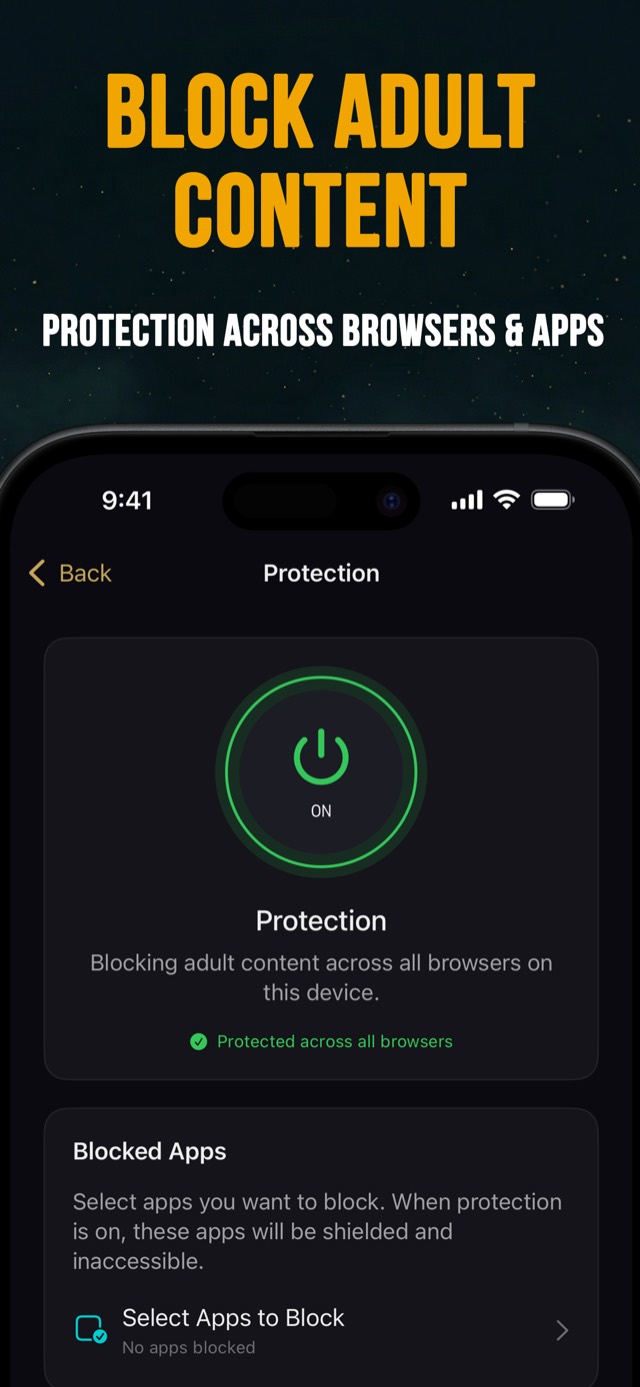
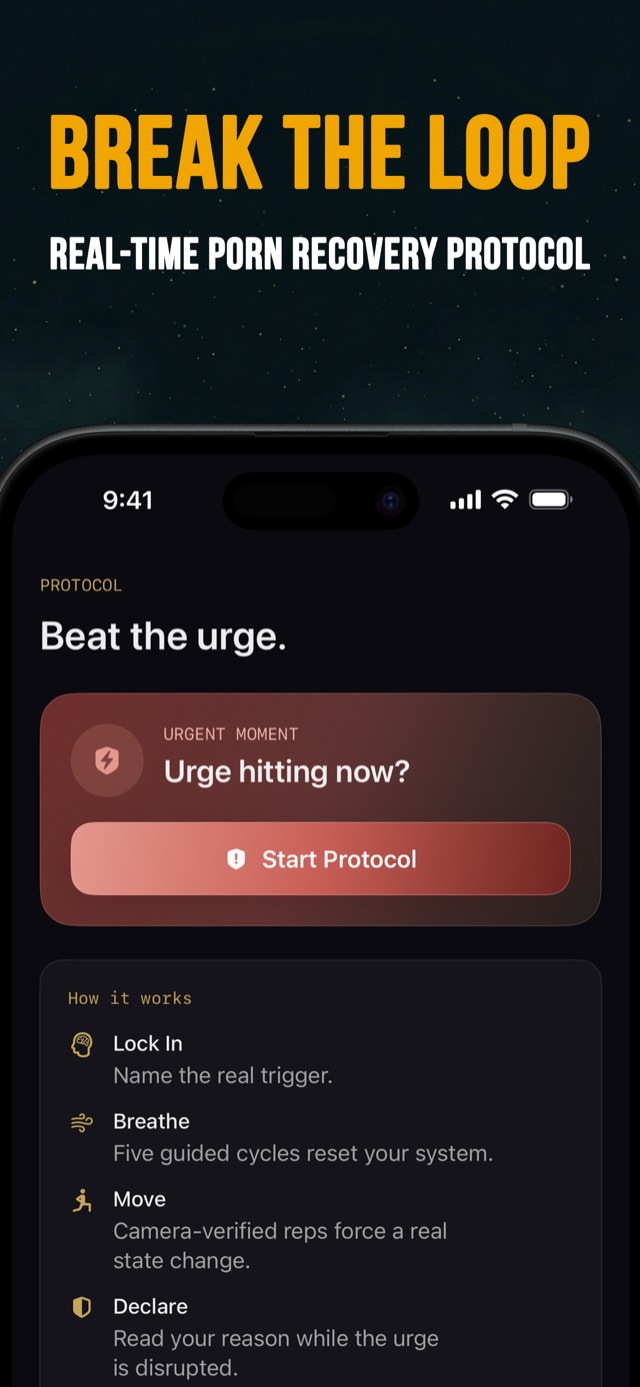
We built Quit & REBOOT around those four questions. It applies Apple's system web filter plus a Safari content blocker, so adult sites are blocked in Safari, Chrome and Firefox from one switch. You choose which apps to shield. And when an urge hits, there's a 5-step protocol (Lock In, Breathe, Move with camera-counted reps, Declare, Status Check) instead of a blank screen and your willpower. It's free to download, and it works best paired with the Screen Time hardening above so it can't simply be deleted.
Screen Time vs. DNS vs. a blocker app: which should you use?
| Screen Time filter | DNS filtering (1.1.1.3) | Blocker app (system filter) | |
|---|---|---|---|
| Safari | Yes | Yes | Yes |
| Chrome, Firefox, other browsers | Yes (US App Store browsers) | Yes | Yes |
| Private / incognito tabs | Blocked in Safari, filtered elsewhere | Filtered | Filtered |
| Content inside apps and feeds | No | Partly (web content only) | App shielding for apps you choose |
| Beats a VPN | Yes | No | Yes (web filter) |
| How hard to undo | Depends entirely on who has the passcode | Three taps, no passcode | Real friction, more if deletions are blocked |
| Help during an urge | None | None | Urge protocol, streak, community |
| Cost | Free | Free | Free to download |
If you only remember one thing about how to block porn on iPhone, make it this: the method matters less than who holds the passcode. Do Method 1 with the hardening steps no matter what. Add DNS filtering if you want a second net. Add a blocker app if you need app shielding or you keep losing the argument with yourself at night, which is most people reading this.
Close the remaining leaks on your phone
Once the browser is handled, these are the doors people forget. Spend ten minutes on them.
- Feeds and explore pages. Instagram Explore, X, TikTok and Reddit will all find your weak spot given a few taps. Unfollow, mute, or shield the app for a month. If you can't imagine deleting an app for 30 days, that's useful information about the app.
- Saved stuff. Bookmarks, reading lists, hidden albums, old downloads. Clear them once, properly.
- Old devices. The iPad in the drawer, the laptop, the old phone with no restrictions. Either apply the same block or get them out of the bedroom.
- The bedroom itself. Most late-night slips start with "phone in bed." Charge it in another room. An alarm clock costs less than lunch.
- Your Apple Account. If you set up Screen Time Passcode Recovery with your own account, go back and fix that today.
"Limit Adult Websites not working": quick troubleshooting
If a site is still loading after you set the filter, check these in order:
- Is Content & Privacy Restrictions actually on? The Web Content setting does nothing if the parent toggle is off.
- Did the setting get changed back? Open the Web Content screen and confirm it still says Limit Adult Websites, not Unrestricted.
- Was the browser already open? Close it from the app switcher and reopen.
- Is the site just not on Apple's list? Apple doesn't publish the list and it isn't complete. Add the site under Never Allow and it's blocked immediately.
- Is the phone using a profile or app that overrides things? A work profile or an old parental control app can interfere. Check Settings for installed profiles.
The blocker is half the job
A good block takes the automatic option off the table. It doesn't remove the urge, and the urge is what sent you to the browser in the first place. Guys who only set up a blocker tend to spend the next week testing it, which is a frustrating way to spend a week.
So pair the block with a plan for the five minutes after an urge hits. Name the trigger, take five slow breaths, do twenty reps of anything, read the reason you wrote down, then rate the urge again. We walk through that sequence in the urge protocol section of our No Nut November survival guide, and it works in any month. If you're setting this up for November specifically, the No Nut November rules guide covers what counts as a slip and why "no porn" is the rule that decides whether your month survives.
Set the filter, hand someone the passcode, close the side doors, and have a plan for the urge. That's the whole system. It takes about twenty minutes, and it's the difference between a block you set up every few months and one that's still standing next year.
Sources
- Apple Support. Use parental controls and web content filtering on iPhone (Limit Adult Websites filters Safari and other supported browsers).
- Apple Support. If you forgot your Screen Time passcode (Screen Time Passcode Recovery with an Apple Account).
- Apple iPhone User Guide. Create, change, or remove a Screen Time passcode on iPhone.
- Cloudflare. Introducing 1.1.1.1 for Families (1.1.1.3 / 1.0.0.3 malware and adult content filter).
- Marlatt GA, Gordon JR. Relapse Prevention: Maintenance Strategies in the Treatment of Addictive Behaviors. Guilford Press, 1985 (urge surfing).
Frequently asked questions
Does Screen Time block porn on Chrome on iPhone?
Yes. Apple's Limit Adult Websites setting filters Safari and other supported browsers, which in the US includes Chrome, Firefox and most third-party browsers, because they all run on Apple's WebKit engine. If a site gets through, add it under Never Allow.
How do I block porn on iPhone for free?
Use Screen Time. Open Settings, search "adult websites," choose Limit Adult Websites, then set a Screen Time passcode. That's free and built in. The weak point is that you can switch it off in seconds, so have someone else set the passcode.
How do I block porn on iPhone without Screen Time?
Use DNS filtering. Point the phone's DNS at Cloudflare's 1.1.1.3 (and 1.0.0.3), which blocks malware and adult content at the network level. It's free but easy to change back, and it doesn't cover apps or a VPN. A dedicated blocker app is the third option.
How do I block private browsing on iPhone?
Turning on Limit Adult Websites in Screen Time removes the Private tab option in Safari. The filter also applies inside other browsers' private modes, since the filtering happens at the browser engine level rather than in your history.
Why is Limit Adult Websites not working?
Usually one of four things: Content & Privacy Restrictions is switched off, the setting got changed back to Unrestricted, Safari was already open and needs to be closed and reopened, or the site simply isn't on Apple's list. Add it under Never Allow and it's blocked immediately.
Can a VPN get around a porn blocker on iPhone?
A VPN gets around DNS filters, because it routes your traffic through a different resolver. It doesn't get around Screen Time's web filter, which works inside the browser rather than on the network. To close the loophole either way, block new app installs in Screen Time.
How do I block porn on iPhone permanently?
Nothing on your own phone is permanent if you know the passcode. The closest thing: have a friend set your Screen Time passcode, don't tie passcode recovery to your own Apple Account, block app installs and deletions, and use a blocker app that takes real effort to remove.
What's the best porn blocker app for iPhone?
Look for four things: it covers every browser, not just Safari; it can shield specific apps; it's hard to switch off in a weak moment; and it gives you something to do when an urge hits. Quit & REBOOT does all four and is free to download.
This article is for education and general support. It is not medical or psychological advice. If compulsive sexual behavior is affecting your health, relationships or work, consider talking to a licensed therapist, ideally one experienced with compulsive sexual behavior.